
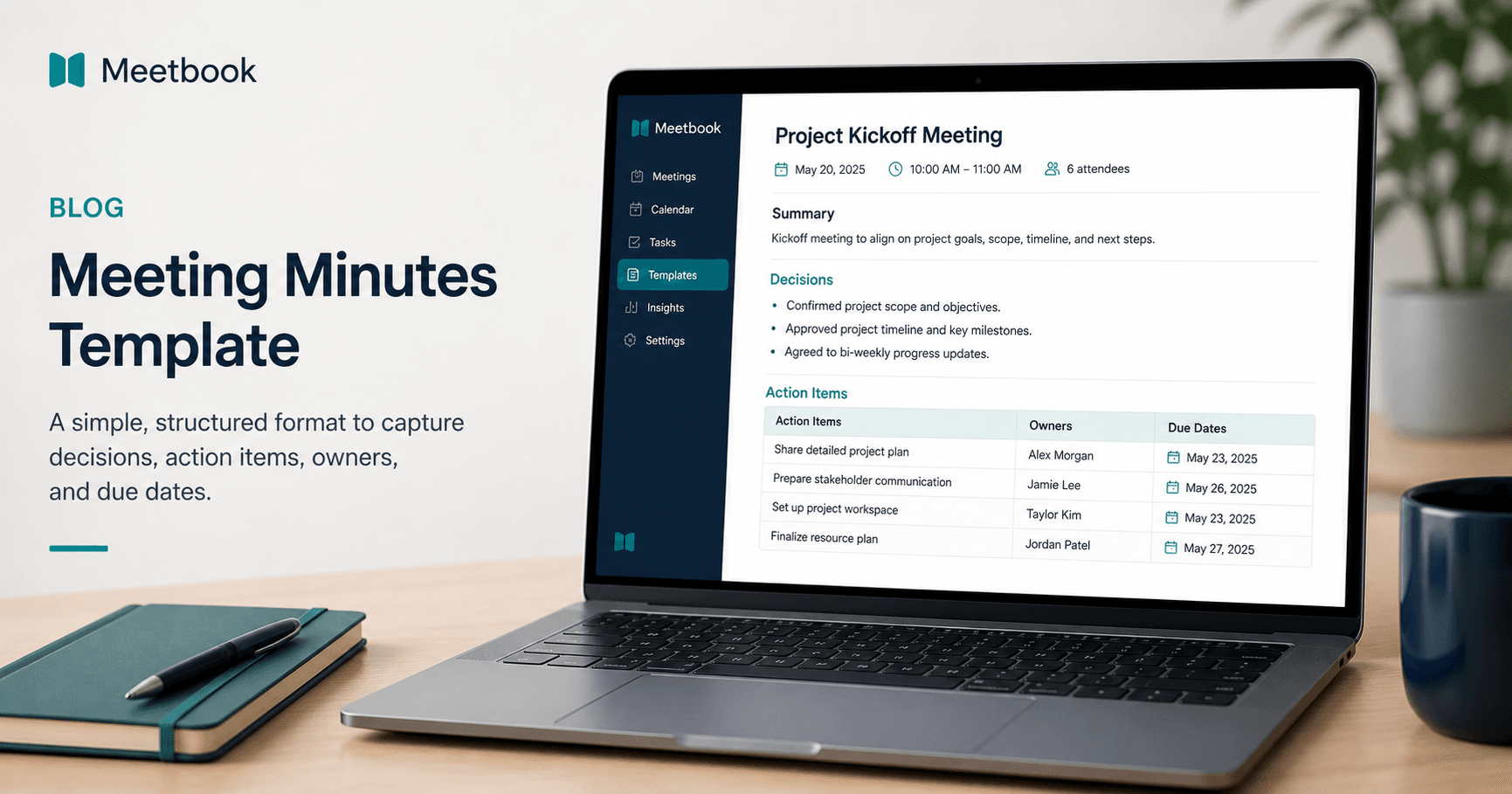
Meeting Minutes Template
Most meeting minutes fail because they preserve too much conversation and too little commitment. A useful record should answer four questions fast: what did we decide, who owns the next step, when is it due, and where can someone find the context later?
Use the meeting minutes template below when a meeting creates decisions, approvals, customer commitments, project work, hiring feedback, or leadership follow-up. It is intentionally lighter than formal board minutes and more structured than a loose notes document.
Copy this meeting minutes template
Meeting title:
Date and time:
Meeting owner:
Attendees:
Absent or optional reviewers:
Purpose: One sentence on why the meeting happened.
1. Summary
Write three to five bullets that explain the meeting outcome. Do not summarize every topic. Capture what changed because the meeting happened.
2. Decisions
| Decision | Rationale | Owner | Date |
|---|---|---|---|
Use this section for choices the team agreed to treat as final unless new information appears. If the decision is still tentative, put it under open questions instead.
3. Action items
| Action item | Owner | Due date | Status | Source |
|---|---|---|---|---|
| Not started | ||||
| Not started |
Every action item needs one owner. If three people are listed, nobody owns it. Use the source column to point back to the agenda item, transcript timestamp, CRM account, project ticket, or customer request that created the task.
4. Open questions
| Question | Needed from | Deadline | Why it matters |
|---|---|---|---|
Open questions keep unresolved issues from hiding inside the notes. They also prevent fake alignment, where everyone leaves believing someone else will clarify the gap.
5. Risks and blockers
| Risk or blocker | Impact | Next step | Owner |
|---|---|---|---|
Use this only when the issue changes delivery, revenue, compliance, hiring, or customer expectations. A minor discussion point does not belong here.
6. Reference notes
Add short context bullets, links, files, or transcript timestamps. This is the parking lot for details that are useful later but should not crowd the decision log.
Filled example
Meeting title: Customer onboarding kickoff for Acme
Date and time: August 11, 2026, 10:00-10:45 a.m. ET
Meeting owner: Priya Shah
Attendees: Priya Shah, Marco Lee, Jamie Chen, Dana Fox
Purpose: Confirm onboarding scope, timeline, and owners before implementation starts.
Summary
- Acme approved a four-week onboarding plan with CRM sync in week two.
- The customer success team will use the executive dashboard as the success checkpoint.
- Data migration remains the only unresolved risk because Acme has two legacy account fields that need cleanup.
Decisions
| Decision | Rationale | Owner | Date |
|---|---|---|---|
| Start onboarding on August 18 | Acme's admin team is available that week | Priya Shah | Aug 11 |
| Connect HubSpot before importing historical notes | Prevents duplicate customer records | Marco Lee | Aug 11 |
| Review dashboard adoption with executives in week four | Makes success measurable before handoff | Jamie Chen | Aug 11 |
Action items
| Action item | Owner | Due date | Status | Source |
|---|---|---|---|---|
| Send onboarding checklist to Acme | Priya Shah | Aug 12 | Not started | Agenda item 2 |
| Map two legacy account fields | Dana Fox | Aug 14 | Not started | Transcript 18:40 |
| Schedule executive dashboard review | Jamie Chen | Aug 15 | Not started | Decision 3 |
Open questions
| Question | Needed from | Deadline | Why it matters |
|---|---|---|---|
| Should historical notes import include closed-lost accounts? | Acme RevOps | Aug 14 | Changes import size and CRM mapping |
Risks and blockers
| Risk or blocker | Impact | Next step | Owner |
|---|---|---|---|
| Legacy account fields are inconsistent | CRM sync could create duplicate records | Acme to export field list | Dana Fox |
When to use this format
Use this format for meetings where the output matters more than the discussion trail:
- Project kickoffs
- Customer onboarding calls
- Sales handoffs
- Weekly operating reviews
- Leadership staff meetings
- Hiring debriefs
- Cross-functional planning sessions
Do not use it as written for legal board minutes, shareholder meetings, disciplinary HR meetings, or regulated committee records. Those often require formal motions, voting language, approval records, retention rules, and legal review.
Meeting minutes vs meeting notes
Meeting notes can be messy. Meeting minutes should be durable.
Notes are for the person capturing the conversation. Minutes are for the people who need the outcome later. That distinction changes the writing style:
| Meeting notes | Meeting minutes |
|---|---|
| Capture discussion as it happens | Capture the official outcome |
| Can include rough thoughts | Should be clean and reviewable |
| Useful mainly to attendees | Useful to absent stakeholders too |
| Often chronological | Usually organized by decisions and actions |
For most modern teams, the best workflow is to record or transcribe the meeting, let the raw notes stay messy, then publish minutes as the reviewed system of record.
What every useful minutes template needs
A purpose line
The purpose line prevents the minutes from becoming a transcript. If the meeting purpose was "choose a launch date," the minutes should make that launch decision obvious.
Weak: "Discussed launch timing."
Useful: "Launch date approved for September 9, pending final QA sign-off."
A decision log
Decisions deserve their own section because they are the first thing people search for after the meeting. Write decisions as completed agreements, not vague discussion summaries.
Weak: "The team talked about whether to delay the rollout."
Useful: "The team delayed the rollout by one week to complete enterprise QA."
Owner-based action items
An action item without an owner is just a wish. Put one person's name beside each task and avoid shared ownership unless one person is clearly accountable.
Weak: "Marketing and sales to update the deck."
Useful: "Lena will update the sales deck with the new pricing slide by Friday."
Deadlines that mean something
"ASAP" is not a deadline. If the work is urgent, use a specific date and make the tradeoff visible.
Weak: "Send notes ASAP."
Useful: "Send customer-facing recap by August 12 so procurement can review before Friday."
Source context
Source context is the part most templates miss. A transcript timestamp, CRM account, ticket, or agenda item makes minutes easier to audit later. This is especially valuable for customer-facing teams and distributed teams that need to reconstruct why a decision happened.
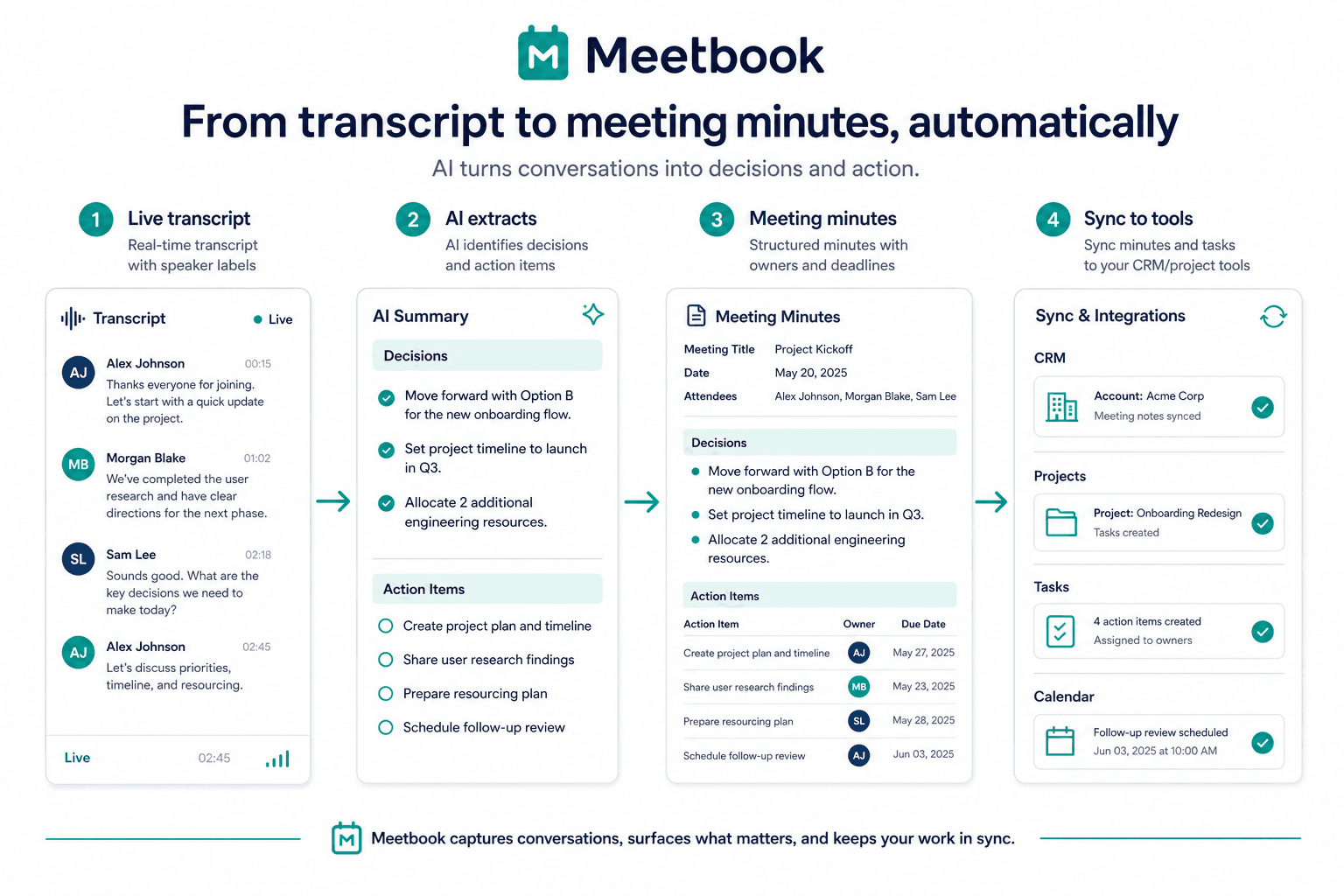
How to turn a transcript into meeting minutes
If you use an AI meeting assistant, do not publish the first summary as the final record. Use a review pass:
- Start with the transcript and speaker labels.
- Extract candidate decisions, action items, deadlines, objections, and risks.
- Remove discussion that did not change the outcome.
- Assign missing owners before sending the recap.
- Link action items to the CRM, project tracker, or shared workspace.
- Send minutes within 24 hours while the context is still fresh.
Meetbook can help with this workflow by joining Zoom, Google Meet, or Microsoft Teams calls, transcribing the conversation with speaker identification, detecting decisions and action items, and syncing follow-up to tools like Salesforce and HubSpot. The human review still matters: AI can surface the commitments, but the meeting owner should confirm what is final.
For broader tool selection, see the AI meeting notetaker guide. For follow-through problems, read Why Meeting Action Items Never Get Done.
Common mistakes to avoid
Writing a transcript instead of minutes
Nobody wants to read a play-by-play unless there is a dispute. Keep the transcript available, but make the minutes short enough that a stakeholder can understand the outcome in five minutes.
Hiding decisions inside paragraphs
If a decision matters, put it in the decision table. Paragraph-only minutes are hard to scan and easy to misread.
Listing teams instead of owners
"Product to follow up" feels collaborative, but it creates ambiguity. Name the person who is accountable for the next step.
Skipping absent stakeholders
If someone was needed but absent, list them as an optional reviewer or open-question owner. This makes dependencies visible before the next meeting.
Sending minutes too late
Minutes sent a week later become archaeology. The best time to publish them is the same day; the acceptable window is usually within 24 hours.
A shorter version for recurring team meetings
For weekly team meetings, use a compact version:
Meeting:
Date:
Owner:
Decisions
Action items
| Task | Owner | Due |
|---|---|---|
Blockers
Carry forward
This format works well for standups, weekly syncs, and internal operating meetings where the same people attend every time.
A client-facing version
For client meetings, make the recap more polished:
Subject: Recap: [Client] [Meeting Topic]
Hi [Name],
Thanks for meeting today. Here is the agreed recap.
Decisions
Next steps
| Owner | Next step | Due |
|---|---|---|
Open questions
Reference
This version is useful because it turns minutes into a confirmation email. If the client disagrees, you find out quickly.
Final check before you send minutes
Before publishing or sending the meeting minutes, check:
- Does every action item have exactly one owner?
- Does every owner have a due date?
- Are decisions written as decisions, not discussion notes?
- Are unresolved questions visible?
- Could someone who missed the meeting understand the outcome in five minutes?
- Are customer commitments, pricing points, or compliance-sensitive details accurate?
- Is the transcript or recording linked somewhere private if deeper context is needed?
Meeting minutes are not about documenting that a meeting happened. They are about making sure the work that came out of the meeting survives the calendar invite.